SEO Windows VPS: Optimize Your Windows VPS for Better Search Engine Rankings
In the digital era, a Virtual Private Server (VPS) is essential for businesses that want control over their hosting environment. For search engine optimisation (SEO) professionals, a Windows-based VPS can be a powerful tool. It allows you to run resource-intensive SEO tools, manage multiple websites, and maintain better security. This guide explores how to optimize your Windows VPS to achieve higher search rankings.
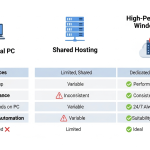
Why Choose a Windows VPS for SEO? A Windows VPS gives you complete control over your hosting environment with remote desktop access. You can install and run specialized SEO software such as keyword scrapers, backlink analyzers and rank trackers. Windows VPS hosting often includes dedicated resources (CPU, RAM and storage), ensuring consistent performance. For example, if you’re using cheap SEO VPS services, a dedicated environment means your websites won’t be slowed down by other users’ activities, which can directly impact SEO metrics like page load time.
Selecting the Best Windows SEO VPS Provider: Start by choosing a reliable VPS provider. Look for features like solid-state drives (SSD) or NVMe storage for fast data access, sufficient memory for running multiple SEO applications, and 24/7 technical support. Evaluate providers based on uptime guarantees and customer feedback. Cost is also a factor; there are many options for a cheap SEO VPS that still deliver good performance. When in doubt, read reviews or ask for trial periods.
Pre‑Installed SEO Tools: One advantage of a specialised SEO VPS is having SEO tools pre-installed. Tools such as GSA Search Engine Ranker, Scrapebox, SEMrush, and Ahrefs can be resource-heavy. Installing them on a VPS ensures they run continuously without impacting your local computer. If your provider offers a VPS with SEO tools installed, this can save setup time and ensure the software is configured correctly. Alternatively, you can manually install the tools you need; just ensure they are kept up to date.
Optimising Server Performance: Speed is a critical SEO factor. To optimise your VPS performance, ensure your server uses the latest Windows Server version and keep all software patches up to date. Configure caching mechanisms (e.g., using IIS output caching or a CDN) to reduce load times. Regularly monitor CPU and memory usage; if your SEO tools consume too many resources, consider upgrading your plan. You should also optimize databases and remove unnecessary services to free up resources.
Security Considerations: Search engines reward websites that are secure and accessible. Ensure your Windows VPS has a firewall enabled and configure automatic security updates. Use strong passwords and consider enabling multi-factor authentication on your accounts. Isolating your SEO tasks on a VPS can reduce the risk of cross‑site contamination. For privacy, a dedicated IP address helps you avoid being affected by other users’ activities.
Linking Strategy and SEO Tools: Many SEO professionals use tools like GSA and Scrapebox to build backlinks and analyze competitors. Running these on a SEO VPS ensures continuous operation. When building backlinks, always focus on quality over quantity and diversify your anchor text. Instead of repeatedly using exact match anchors, use variations like “the best VPS for SEO tasks” or “affordable Windows VPS provider.” If you operate multiple blogs as part of a private blog network, ensure each site offers valuable content and avoid obvious footprints like identical themes or linking patterns. For example, you can vary anchor text and link to informative resources on other websites.
Conclusion: A well‑configured Windows VPS can be a secret weapon in your SEO toolkit. By choosing the right provider, installing essential tools, and optimizing performance, you’ll be positioned to improve your search engine rankings. For affordable and reliable hosting, consider checking out Cheap SEO VPS for plans tailored to SEO professionals. If you’re looking for more insights on VPS hosting, our colleagues at <a href=”https://fastseovps.com” title=”Fast SEO VPS”>Fast SEO VPS</a> also share helpful tips. Optimise your Windows VPS today and watch your online visibility soar.